grading
Grade Coach vs CoGrader: an honest comparison for teachers
A teacher-to-teacher comparison of Grade Coach and CoGrader. Where each fits best, where the rubric-lock approaches differ, and what to look at before you commit your class set.
 Enzo · May 19, 2026 · 7 min read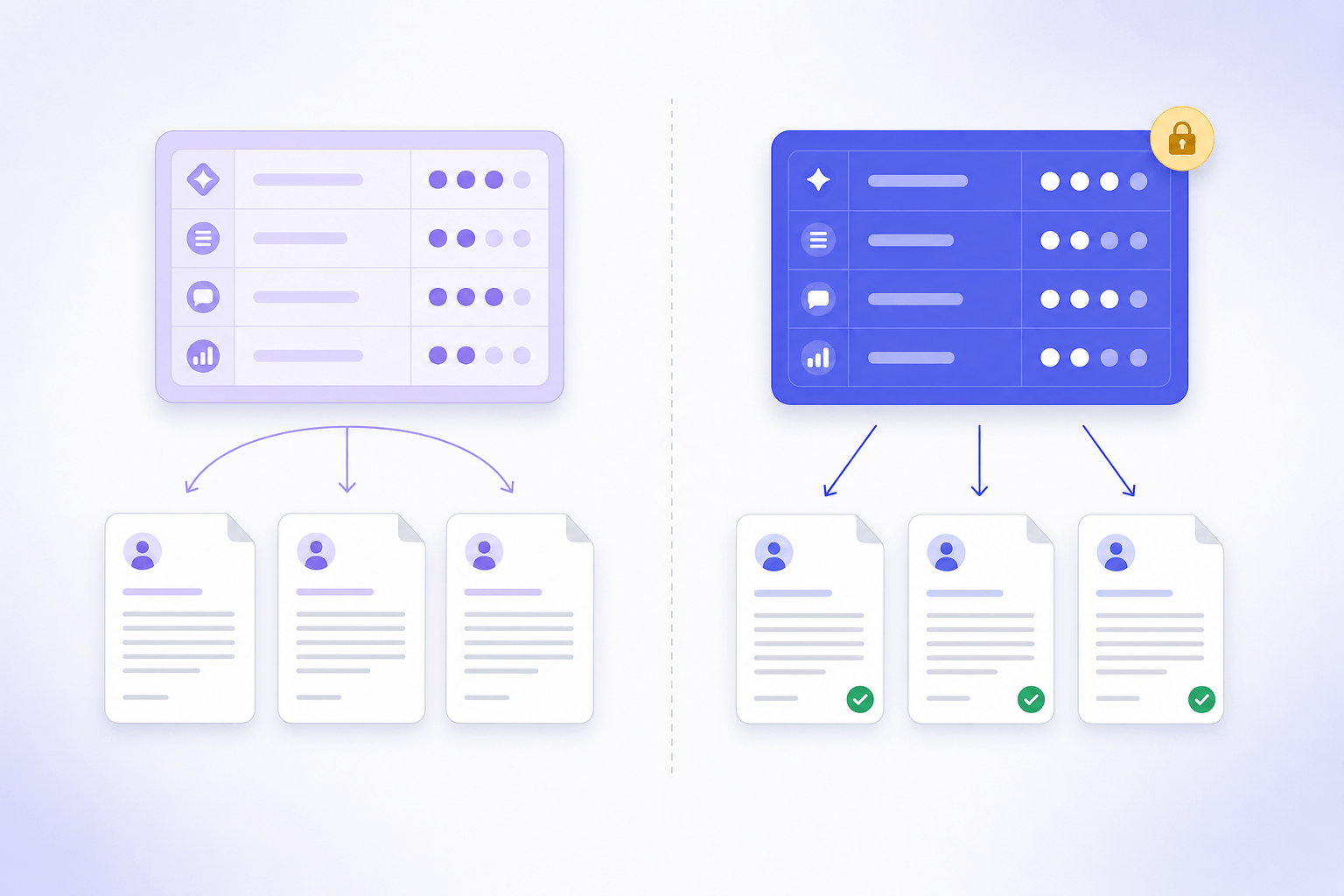
Most teachers comparing AI graders are not actually asking which is the best one. They are asking which one will not waste my Sunday when I try it with a real stack of papers. So this is a comparison written from that angle, not from a feature checklist.
I am the founder of Grade Coach, so this is not an impartial review. What I can promise is that I will not pretend CoGrader is bad. It is a real product, the team behind it is capable, and for some teachers it is the right answer. I will tell you where I think it fits, where Grade Coach fits, and what I would actually look at before committing my class set to either one.
What CoGrader does well
CoGrader has been around longer and the polish shows. The onboarding is smooth, the Google Classroom and Canvas integrations are first-class, the school and district plan is a real product (not an afterthought), and the marketing claim of "80% less time grading" is, in my experience, roughly correct for the kind of assignment they show in their demos: structured short-answer and standard essay rubrics. They have named state standards (STAAR, Smarter Balanced) baked into copy, which matters if you are buying for a US district. And the free tier (100 essays/month, last I checked) is generous enough that you can actually evaluate before paying.
If you teach in a US public school, use Google Classroom as your primary LMS, and your assignments are predominantly traditional essays graded against state-aligned rubrics, CoGrader is a well-engineered fit.
Where Grade Coach is different
Grade Coach was built by an ex-teacher with 10+ years in international classrooms, mostly ESL and IB / MYP. That background shows up in three concrete places:
- The rubric you actually have, not the rubric the tool expects. You paste in your rubric (or photograph it), and Grade Coach reads it. No template, no structured wizard, no "first map your criteria to our taxonomy." Department rubrics, IB MYP Criterion B, AP Lang FRQ, school-specific writing rubrics, your own custom criteria, all work the same way.
- Rubric lock on the first paper. The first student paper you upload locks the rubric understanding for the whole class set. Paper 1 and paper 30 are scored against the same locked interpretation, which is the only honest way an AI grader can claim consistency. We call this "no drift."
- Snap-the-photo first. Mobile-first is the default. The grading flow is designed for a teacher holding a phone over a stack of handwritten papers. Desktop works too, but the UX premise is that you should be able to grade a class set sitting at your dining table with a phone.
The honest tradeoffs
CoGrader has more inbound integrations than Grade Coach. We export to CSV and Google Sheets cleanly, and the printable PDFs work fine, but we do not have a one-click Canvas SpeedGrader sync today. If your district workflow lives entirely inside Canvas, that matters.
CoGrader also has more visible enterprise compliance signals on the marketing site (SOC 2 Type I attestation, named state DPAs). Grade Coach is privacy-first by design (we do not train on student work, full stop, and there is a dedicated trust page that explains exactly what we do and do not do with uploads), but we are pre-launch on the formal attestation paperwork. If your IT director needs a SOC 2 report in their hand before you can pilot, CoGrader is further along on that paperwork.
On pricing: CoGrader uses a free → school/district model. Grade Coach uses a credit pool (free 10 papers, then Pro $15/mo for 500 or top-up $10 = 300 that never expire). For an individual teacher, Grade Coach's transparent pay-as-you-go is often easier to expense. For a district, CoGrader's institutional pricing is more standard.
How to actually decide
Honestly: try both on the same stack. Take 10 papers from a real assignment you have already graded by hand. Run them through each tool with the same rubric. Compare the scores against your own grades, not against each other. The one that produces the fewest "what? no, that is wrong" moments is the right tool for your subject and grade level.

Both products have free tiers that make this possible without a credit card. If you do the experiment and pick CoGrader, no hard feelings. I would rather you pick the right tool than the one with my logo on it.
If you want to try Grade Coach with that stack, the first 10 papers are free, no card and no account required.